
Switch from Excel to fixed asset software when each asset needs two tax dates, a change history an auditor can trust, or book and tax schedules that must agree.
Under IRS guidance from January 14, 2026, a machine put into use in 2026 can get 100% bonus depreciation or just 20%.
The purchase contract date decides it, and most Excel registers keep only one date per asset. A short list kept by one person can still live in Excel.
Short answer
Stay in Excel if one person keeps a short list and every asset uses straight-line book depreciation.
Switch to fixed asset software after an acquisition, before an audit, when several people edit the file, or when book and tax tabs stop agreeing.
Check one thing first: items of $2,500 or less may not need a row at all under the IRS de minimis election.
When Excel is still enough
Excel handles a short, stable asset list well. When one person updates it, and every asset uses straight-line book depreciation, a spreadsheet does the job at no extra cost.
The IRS can also keep the list short. Under its de minimis safe harbor, a business without audited financial statements can choose to write off items costing $2,500 or less per invoice or item.
Businesses with audited statements, or other statements the IRS accepts, can use $5,000.
The choice is made each year with the tax return, and the same items must be expensed in the books too.
A $1,200 laptop bought under that policy never needs a register row. Fewer rows keep Excel workable for longer.
Signs your fixed asset register has outgrown Excel
Most registers start as a free fixed asset Excel template. These signs show the template has run out of room:
Two or more people edit the file, and copies with different totals start to circulate.
An auditor or lender asks who changed a value and when.
Book and tax depreciation sit on separate tabs that no longer agree.
You sell or scrap part of a group of identical items, like 4 of 20 laptops.
Your company bought another business and inherited its asset list.
Each new tax year brings new limits to type into formulas.
The last sign shows up every year. The IRS raised the Section 179 limit from $2,500,000 for 2025 to $2,560,000 for 2026. Every hard-coded limit in a sheet has to be found and changed by hand.
Which date sets your 2026 bonus depreciation?
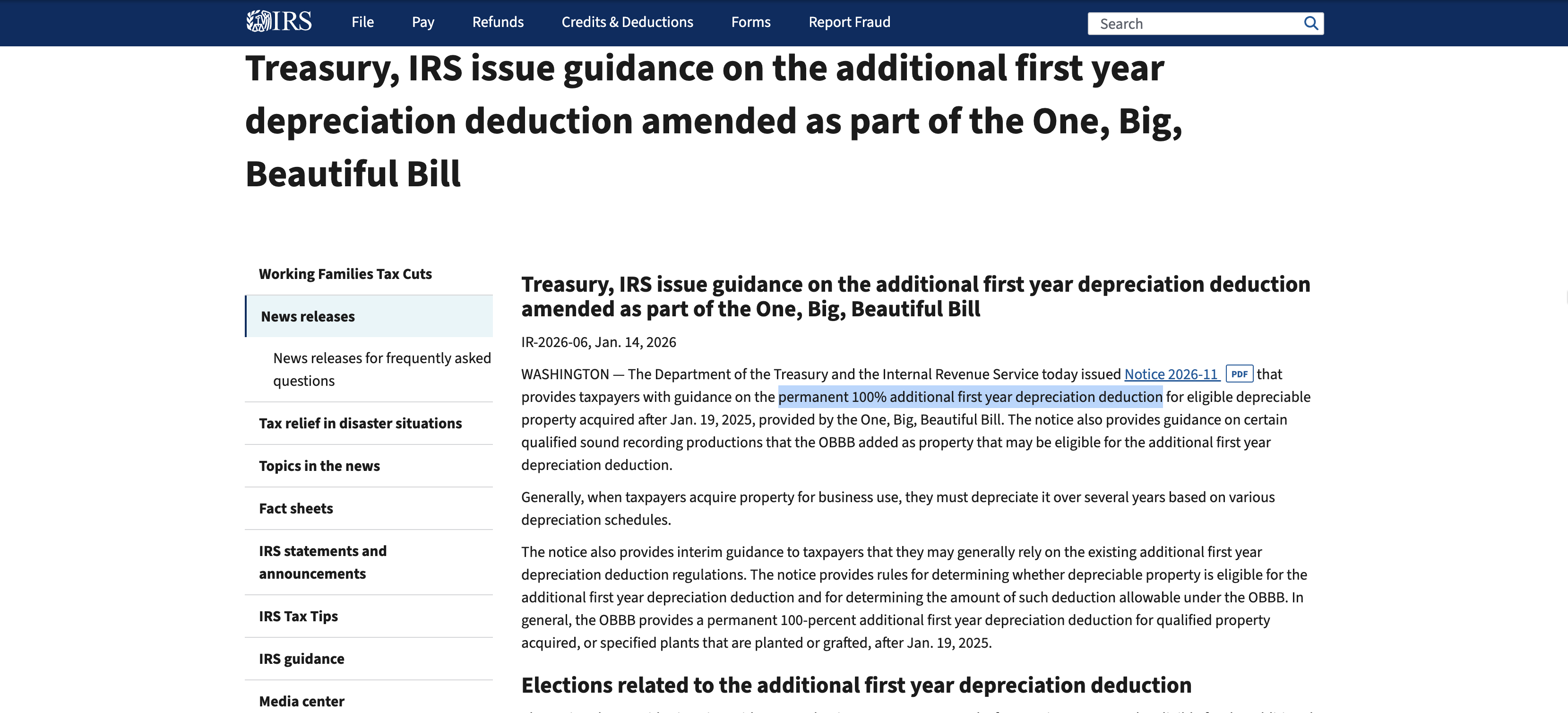
The purchase date sets it. Property acquired after January 19, 2025, can take the permanent 100% bonus depreciation the IRS confirmed in January 2026.
Property acquired on or before that date stays on the old phase-down schedule, which allows 20% for property put into use in 2026.
Take two $40,000 machines, both put into use in March 2026.
Machine A had its purchase contract signed in February 2025. It can take 100% bonus depreciation. That is $40,000 in the first year.
Machine B had its purchase contract signed in December 2024. It gets 20% bonus depreciation. That is $8,000 in the first year. The other $32,000 goes through the regular IRS depreciation tables.
Machine B gets $32,000 less in first-year bonus depreciation than Machine A.
A register with only an "in service" date treats both machines the same way. Add an acquisition date column today, even if you stay in Excel.
The IRS looks at the date a written binding contract was signed. Without a contract, other rules set the date, so confirm it with your tax preparer.
The IRS release below is shown as it read on November 6, 2026.
Can Excel calculate MACRS depreciation?
Not on its own. Excel's depreciation functions are SLN, SYD, DB, DDB, and VDB, plus two built for the French accounting system. None of them is a MACRS function.
To get IRS figures, someone types the rate tables from IRS Publication 946 into the sheet, or rebuilds them with VDB.
The convention is the harder part. MACRS normally treats equipment as put into use at mid-year.
If more than 40% of a year's equipment cost goes into use in the last 3 months of the tax year, the mid-quarter convention applies to all equipment put into use that year. Buildings are left out of this test.
Say a business puts $10,000 of equipment into use in 2026. Of that, $4,500 goes into use in November and December. That is 45% of the year's total, so the mid-quarter convention applies.
A formula in one row cannot see the other rows. Someone has to run this test by hand each year, after the last purchase.
Does Excel keep an audit trail for fixed assets?
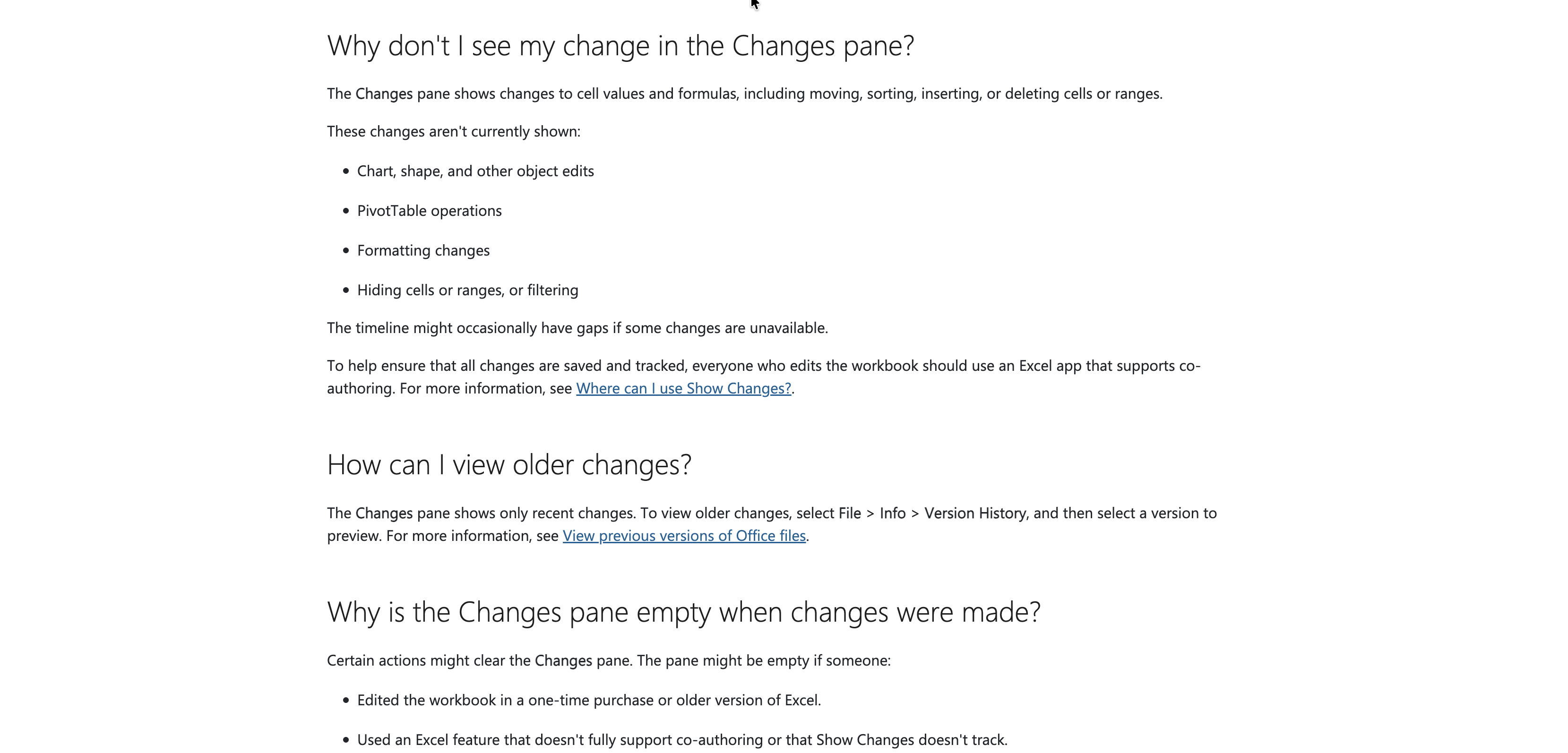
Partly. Excel in Microsoft 365 lists who edited a cell, where, when, and what the old value was in its Show Changes pane. Microsoft's help page also lists limits that matter for an asset register:
The pane shows only recent changes. Older history sits in Version History as whole file copies.
Formatting changes, PivotTable operations, chart edits, and hiding or filtering cells are not shown.
Uploading the file, saving a copy, or replacing the file can empty the pane.
Anyone can clear the pane for everyone in Excel for the web with Reset Changes.
The biggest risk is an older copy of Excel. Microsoft says edits made in a one-time purchase or older version "aren't tracked and also clear the Changes pane."
One colleague who opens the register in Excel 2019 can wipe the log.
Microsoft's help page below is shown as it read on November 6, 2026.
The IRS expects records to last much longer. Its record-keeping guidance says to keep property records until the period of limitations expires for the year you dispose of the asset.
Say you buy a truck in 2026 and sell it in 2033. The usual limit runs 3 years from when you file the 2033 return. So the purchase records may need to stay until around 2037.
Dedicated fixed asset software keeps a timestamped trail tied to each asset instead of a short pane of recent edits.
What dedicated fixed asset software adds
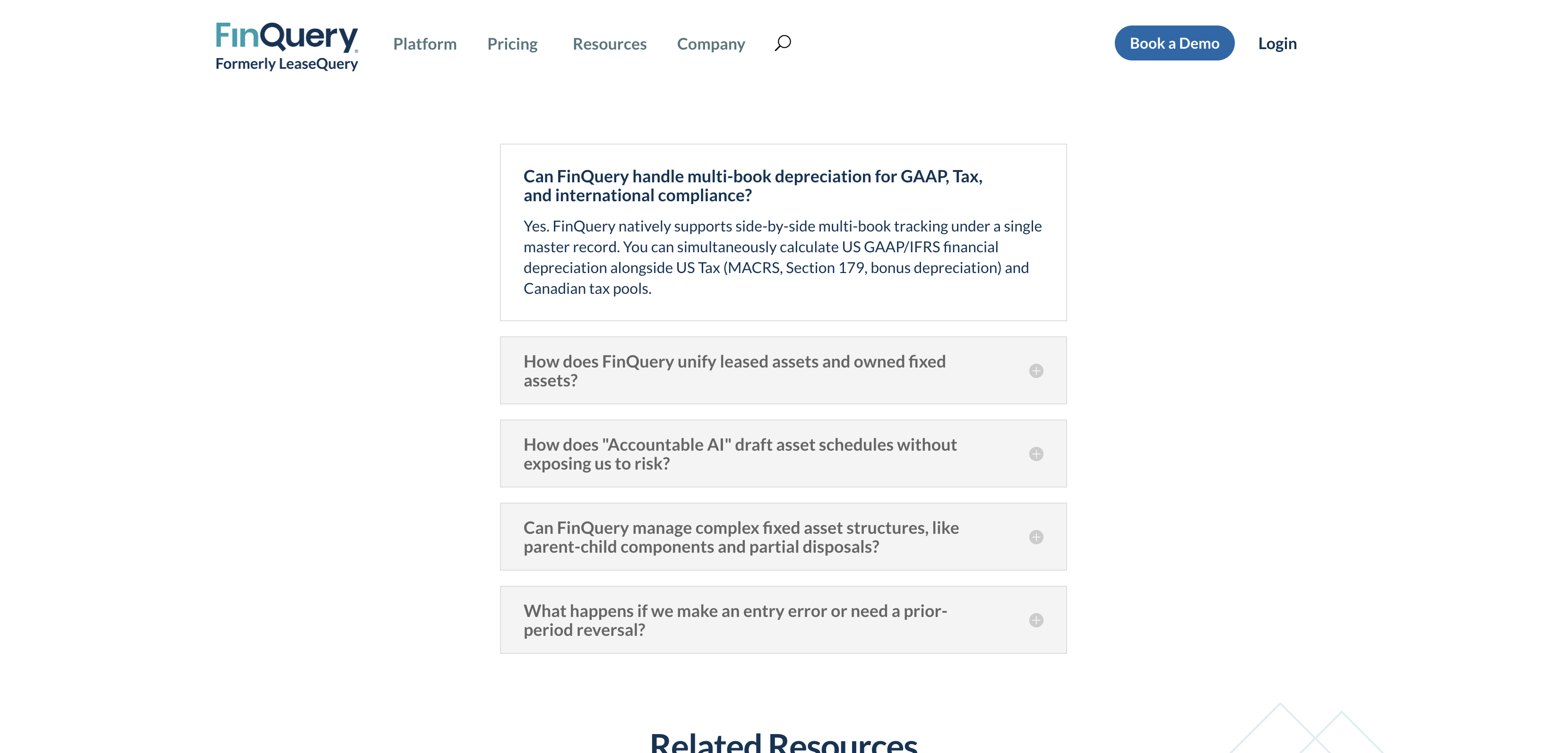
Dedicated fixed asset software moves the register out of a file and into a system built around each asset. FinQuery Fixed Assets is one example, and its product page lists these features:
Book and tax depreciation side by side under one record, including MACRS, Section 179 and bonus depreciation.
Parent and child records, so parts of a larger asset keep their own purchase and in-service dates.
Partial disposals from a bundle of identical items, without changing earlier periods.
A one-click reverse for entry errors.
Leased and owned assets in one ledger with one shared audit trail.
FinQuery also says its AI drafts entries from invoices and purchase orders. Nothing posts to the general ledger until an accountant approves it.
FinQuery's product page below is shown as it read on November 6, 2026.
Excel vs fixed asset software, task by task
The table compares Excel with FinQuery Fixed Assets on the jobs covered above.
Task | Excel | FinQuery Fixed Assets |
|---|---|---|
MACRS rates | No MACRS function; IRS tables typed in by hand | MACRS listed in its FAQ |
Bonus depreciation and Section 179 | Formulas you write and update each year | Both listed in its FAQ |
Book and tax side by side | Separate tabs or files | One record holds both |
Change history | Recent edits only; older Excel copies can wipe it | Timestamped audit trail for each asset |
Partial disposal of a bundle | Split rows by hand | Built in |
Price | Comes with Microsoft 365 | Quote only; no public price |
What fixed asset software costs
FinQuery does not publish prices. Its pricing page is a quote form, and FinQuery says its reps send a quote in under 10 minutes.
That turns the switch into a math question you answer with your own numbers. Once a quote arrives, enter it in the SaaS ROI calculator along with the hours your team spends on the register each week.
The calculator shows whether the time saved covers the cost.
Count the year-end hours as well. Rebuilding MACRS tables, running the 40% test, updating the Section 179 limit, and matching book and tax tabs all land in the same busy weeks.
Tax figures and Excel features were verified November 6, 2026 on IRS and Microsoft pages, and FinQuery's pricing terms on FinQuery's own pricing page.
Built-in accounting module or dedicated software?
Many accounting packages include a fixed asset module, so there is a middle path between a spreadsheet and dedicated software.
That exact choice came up in an AccountingWEB thread from November 2022. A poster whose company had bought a business with more than 2,500 assets inherited a huge depreciation spreadsheet.
They asked the forum whether their accounting package's built-in module was good enough, and the thread drew 14 replies.
A built-in module fits when book depreciation in the same system as your ledger is all you need.
Fixed asset management software fits when you need several books at once, US tax rules like MACRS and bonus depreciation, partial disposals, or leased and owned assets in one place.
Before you sign with any vendor, ask for a demo of the 40% test and the two-date bonus split on your own data.
Which path fits your business
Small business with a short list: Stay in Excel. Add an acquisition date column and check whether the $2,500 de minimis election trims the list.
Contractors and equipment-heavy firms: Heavy machines and partial disposals push toward software. If you are also choosing a ledger, start with our guide to accounting software for general contractors.
Right after an acquisition: An inherited register is the moment to switch. Move the data once, while the people who built the old sheet can still answer questions.
Teams with an auditor or lender: You need a change history that lasts for years. The Excel pane does not keep one.
Companies with leased and owned assets: One ledger for both cuts the matching between files.
FAQ
Is Excel good enough for a fixed asset register?
Yes, for a short list with one editor and straight-line depreciation. Excel falls short once you need MACRS conventions or a change history that lasts for years.
How many assets before you need fixed asset software?
The IRS sets no number. Complexity is the trigger: more than one editor, an audit, an acquisition, or partial disposals. A list of 50 assets with all four needs software sooner than a list of 500 with none.
Can I move my Excel register into fixed asset software?
Yes. FinQuery says its onboarding, led by accounting specialists, covers moving historical asset data and mapping depreciation rules. Clean the sheet first, with one row per asset and both an acquisition date and an in-service date.
Should I keep the old spreadsheet after switching?
Yes. IRS guidance says to keep property records until the period of limitations runs out for the year you dispose of the asset. Save a locked copy of the final sheet with your tax files.
What is the Section 179 limit for 2026?
The IRS set it at $2,560,000 for tax years beginning in 2026. The limit starts to shrink once qualifying equipment put into use during the year passes $4,090,000. Both figures are adjusted each year for inflation.
Getting started
Start with the date column. Add an acquisition date next to the in-service date for every asset put into use since January 2025. That one change protects your bonus depreciation whether you stay in Excel or move.
Then count the warning signs. If three or more apply, such as an audit, an acquisition, several editors or book and tax tabs that disagree, ask two or three vendors for quotes.
Try each one on your messiest assets. Keep the tool that runs the 40% test and splits bonus depreciation by acquisition date without a workaround.