
To make AI write like you, give it five things at once.
Describe your voice, add a few samples, list the words you never use, store it all in one place, and keep feeding back your edits.
Store the kit in ChatGPT's custom instructions, a Claude style, or a Gemini Gem. Every new chat then starts close to your voice.
Think of a ghostwriter who has read the whole internet but never read a word you wrote. They are fast, and their grammar is spotless.
They also sound like a corporate brochure because they average everything they have seen.
Nobody expects that writer to nail your voice on day one. Most of us expect exactly that from ChatGPT, Claude, or Gemini.
If you have ever searched "humanize my AI" after a draft that sounded nothing like you, the tool was probably fine.
The setup was missing. AI models do not know your voice until you hand it over, and most people never do.
Every major assistant now has a place to store instructions and samples, so they carry over from chat to chat.
Below is a five-part "voice kit" you can build in an afternoon. Pack it once and store it in your tool of choice.
You will then spend far less time asking how to humanize my AI text after the fact.
Part 1: the mirror (let the AI describe you)
Most people cannot describe their own writing voice. Ask them, and you hear "conversational" or "clear," words that could fit a million writers. So flip the job around and let the AI do the describing.
Paste in a piece you are proud of and ask: "Analyze the voice, tone, sentence structure, and formatting habits in this writing. Be specific. Output bullet points."
Repeat with two or three more pieces. Zapier's guide to training ChatGPT to write like you suggests three to five samples. Keep only the descriptors that come up again and again and still feel like you.
The list that comes back is often specific. Maybe you open with questions, avoid semicolons, or always end on a short, dry line.
These habits make writing yours, and now you have them on paper. That is the first real step: knowing what "human" means for you.
Part 2: the reading pile (show, do not describe)
Descriptions help, but examples teach. Tell a model to be "witty but warm," and it will guess what that means.
Give it three paragraphs of your own witty, warm writing, and it does not have to guess.
Build a small reading pile of 500 to 1,500 words in total. Pick pieces for range as well as quality:
One piece where you explain something
One where you argue a point
One casual piece, like the intro to your newsletter or a long email
If every sample is formal, the AI learns that you are always formal. Skip anything heavily edited by someone else, since you want your own voice and not your editor's.
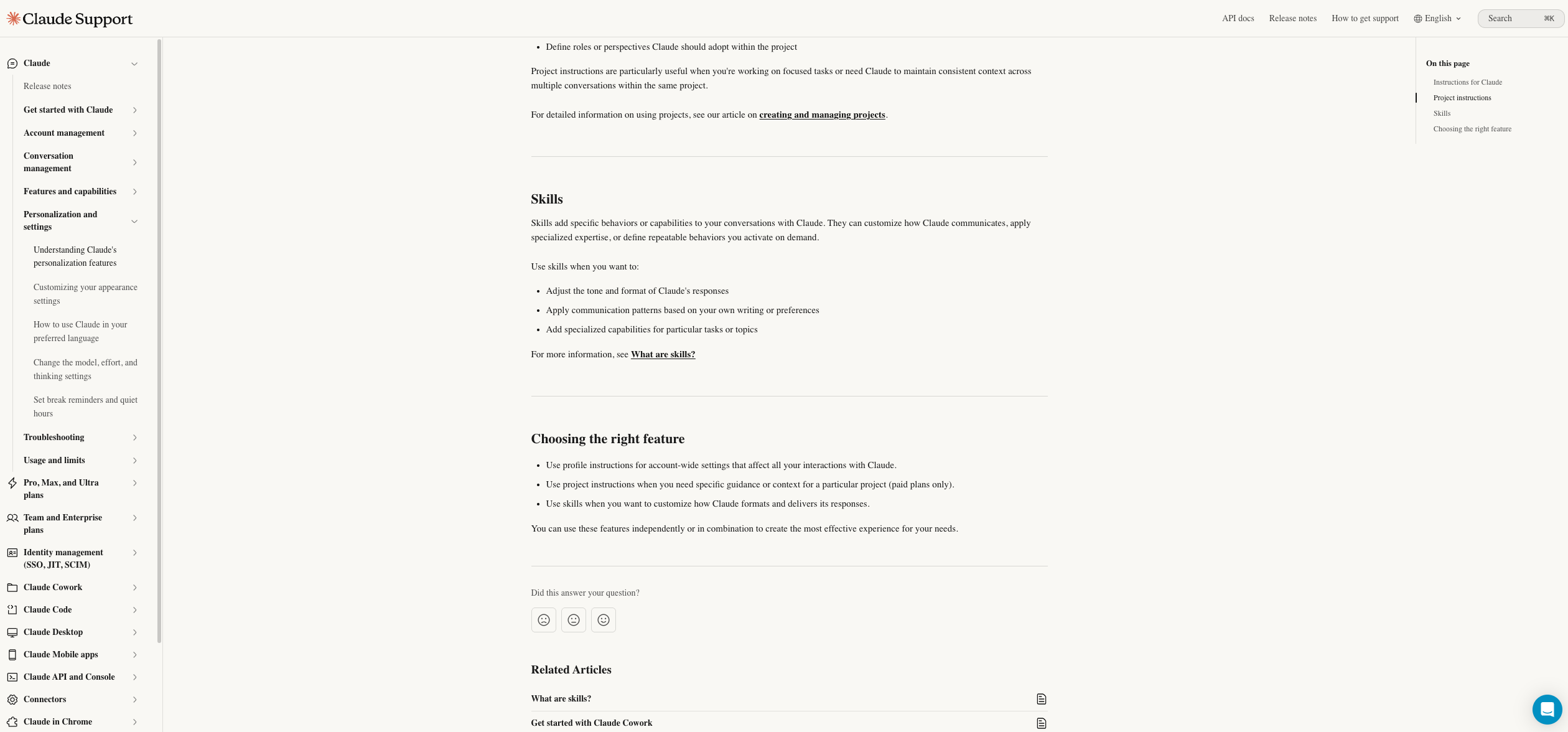
Some tools are built for this job. Claude’s skills feature lets you apply communication patterns based on your own writing, so every chat can follow your style.
Part 3: the no list
Your voice depends as much on what you would never say as on what you would. This list blocks the AI accent before it starts.
Write a short list of words, phrases, and habits that make you wince.
Start with the usual suspects, like "delve," "in today's fast-paced world," and "it's important to note." Then add your own. Maybe you never use exclamation points, or "utilize" makes your skin crawl.
Keep the list short and specific. Ten firm rules work better than forty vague ones, partly because some tools limit how much you can store.
ChatGPT's custom instructions hold up to 1,500 characters on the Free and Go plans.
Plus and higher plans hold up to 5,000 characters, according to the same Zapier guide.
Spend those characters on rules that matter. Think of the no list as a button you set once instead of pressing every time.
Part 4: The install
A voice kit sitting in a notes app helps nobody. It needs to live where the AI sees it every time. Here is where to put it:
ChatGPT: Open Personalization in your settings and add custom instructions for general use. For a specific job like client emails, set up a project with its own instructions.
Those project instructions take priority over the general ones.
Claude: Create a custom style from your samples. Or add your voice notes to a project's instructions, so every chat in that project starts with them.
Gemini: Build a Gem with your voice description, samples, and no list. Open that Gem whenever you write.
Whichever tool you use, set up the instructions the same way. Start with who you are and who you write for. Then add how you sound from the mirror, your samples from the reading pile, and your rules from the no list.
That order moves from general to specific, so the model gets context before limits.
A simple template to copy:
Who I am: [role] writing for [audience].
How I sound: [5 to 8 descriptors from the mirror].
Examples of my writing: [samples or a link to the reference file].
Never: [your no list].
When unsure: ask me instead of guessing, and mark missing facts as [CHECK].
Keep that last line. A model trying hard to sound like you can still invent a statistic. A made-up number in your voice is worse than one in its own.
Once the kit is in place, every new chat starts closer to your voice, and there is far less to fix by hand.
Part 5: the red pen loop
Keep training after the install. The people whose drafts sound like them on a good day are the ones who keep feeding back their edits.
Each time you edit an AI draft, you create feedback. Once a week, paste a draft and your edited version into the chat and ask: "Compare these two versions.
What patterns did I change? Suggest three new rules for my instructions." Then update your kit.
After a month of this, your instructions stop being a guess about your voice and become a record of it.
The edits get smaller, and the drafts get closer, with each round a little lighter than the last.
What training will not fix
Even a well-trained assistant has limits, and knowing them saves frustration.
It will not supply your experience
The model can copy how you write, but not what you have lived. Stories, opinions, and specific examples still have to come from you. Feed those in as rough notes before you ask for a draft.
Training will not pick your topics either, so a clear content marketing strategy still decides what gets written.
It will drift
Long chats slowly pull models back toward their default voice. If a draft turns generic halfway through, start a fresh chat with your instructions loaded.
It will not catch everything
Some stiffness survives even the best setup, mostly in transitions and intros. For long pieces, a second pass through a tool that smooths AI phrasing can loosen those spots.
Compare the result with your original and keep only what still sounds like you.
If you publish where AI detectors are in use, it helps to know why they flag predictable writing. A well-trained voice tends to be less predictable in the exact ways those tools measure.
Your voice, packed and ready
If you searched "humanize my AI" hoping for a quick fix, the fastest one is better setup.
Let the AI describe your voice, show it samples, tell it what you would never say, store the kit where it gets read, and keep feeding it your edits.
Start today by pasting one piece you are proud of into a chat and running the mirror prompt from Part 1.