
DemandSense MCP sees most of the buying process for small B2B teams. It reads LinkedIn ads, website visitors, and CRM deals together, starting at $89 a month.
Windsor lets the assistant pause campaigns and change budgets on every plan, from $23 a month.
AdPlug suits people who run Google, LinkedIn, and Microsoft Ads accounts side by side.
For a marketing team, each server below connects Claude or ChatGPT to the LinkedIn ad account.
You ask in the chat, and nobody has to export a file. Easy questions, like which campaigns are over budget, work on all six.
Harder questions show the differences. “Which of these companies is in the pipeline?” needs CRM data, and not every server reads it.
Choosing a LinkedIn MCP server comes down to two things: what the assistant can read and what it’s allowed to change.
LinkedIn hasn’t released a public server of its own. The closest first-party option is a read-only LinkedIn Ads app inside ChatGPT.
So every server below is a third-party product built on LinkedIn’s Marketing API.
All six are hosted, and none needs any code. They’re listed by how much of the buying process they let the assistant see, widest first.
Details come from each vendor’s documentation as of November 2026.
For servers beyond LinkedIn, such as Google Analytics and HubSpot, see our list of MCP connectors for marketers.
LinkedIn MCP server compared
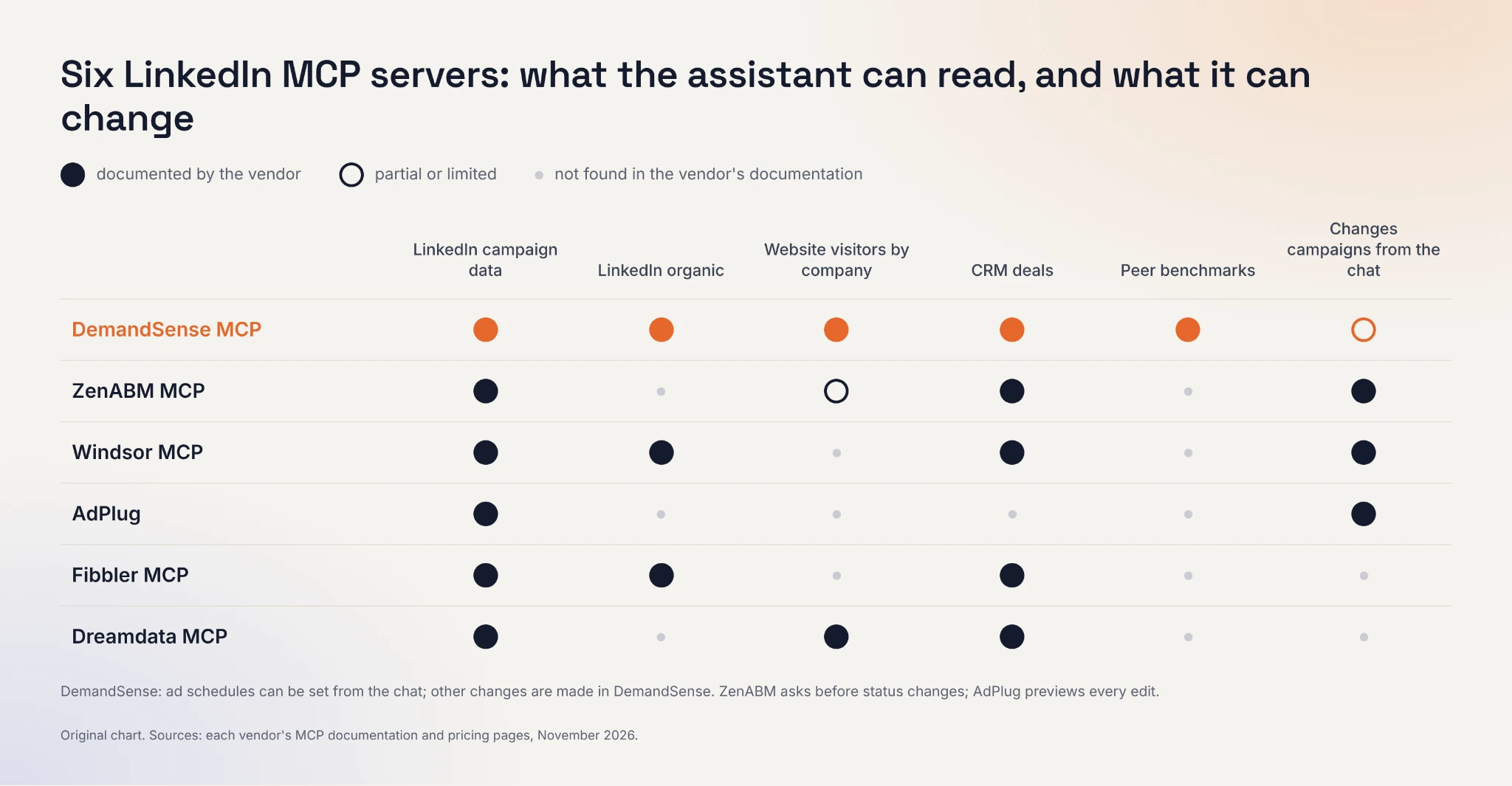
Server | What the assistant can read | What it can change | Plan |
DemandSense MCP | LinkedIn ad and organic engagement, website visitor profiles, CRM deals, peer benchmarks | Ad schedules from the chat; other changes in DemandSense | Every plan from $89/mo; 30-day free trial |
ZenABM MCP | Campaigns, creatives, ABM stages, intent, CRM deals | Creates ads; asks before any status change | Paid plans from $59/mo; 37-day trial |
Windsor MCP | LinkedIn ads and organic, plus 350+ other sources | Pauses campaigns, adjusts budgets | Every plan, from $23/mo |
AdPlug | LinkedIn, Google and Microsoft Ads accounts | Off by default; every edit previewed first | Free plan; paid plans |
Fibbler MCP | Influenced deals, account journeys, warm accounts | Read tools | Unlimited, $129/mo |
Dreamdata MCP | Multi-channel journeys, reports, stages, deals | Can save reports and audiences | Advanced, on request |
1. DemandSense MCP
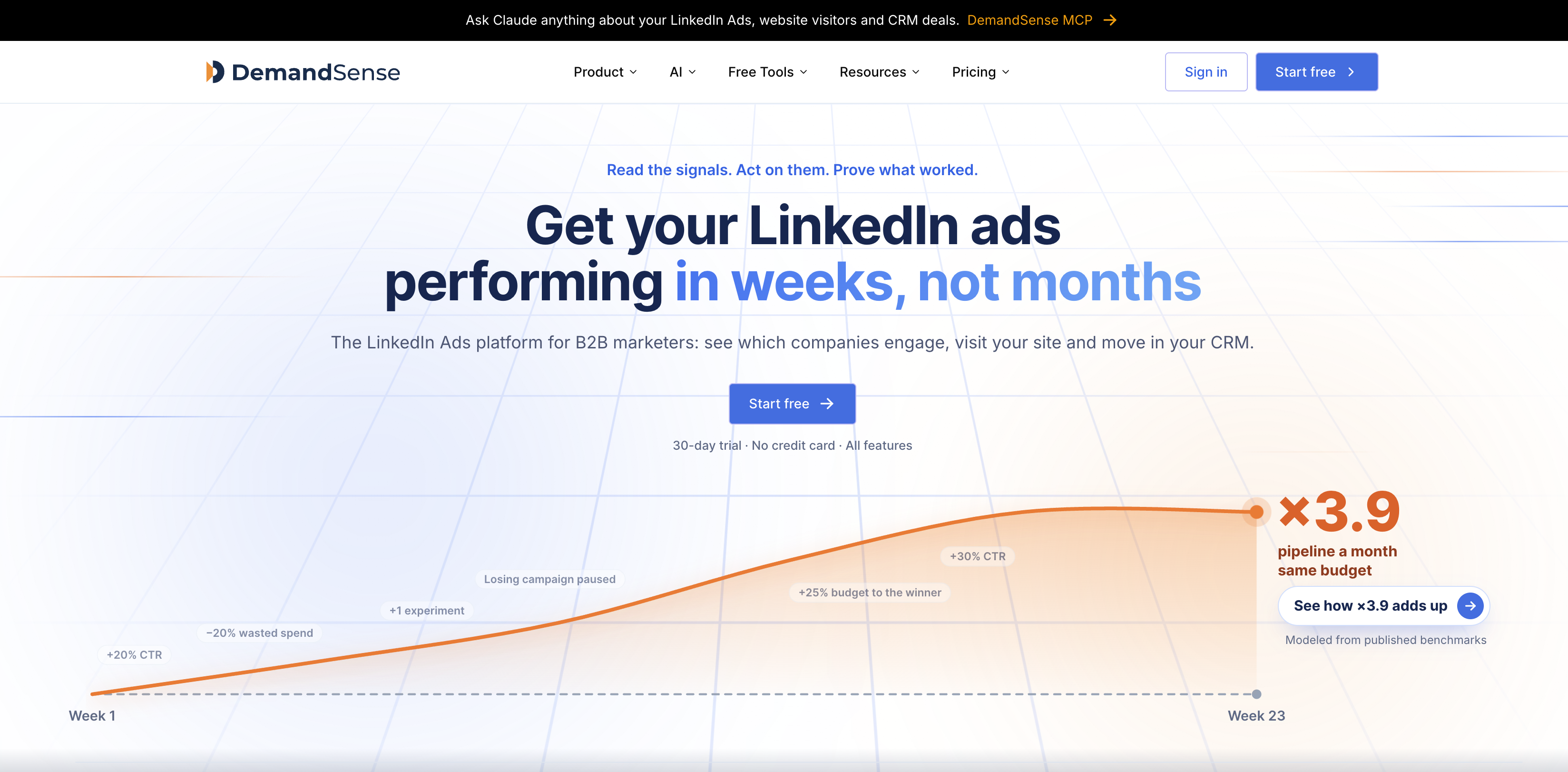
DemandSense gives the assistant your LinkedIn ad and organic engagement. It adds the companies visiting your website and the deals in HubSpot, Salesforce, or Attio.
It also brings in anonymized benchmarks from other advertisers. That mix fits a small B2B team whose deals take months to close.
It answers the most useful question for that team: which accounts are warming up right now?
In practice, a question like this gets one answer instead of three exports: “which target accounts saw this month’s ads and visited pricing, but aren’t in the CRM yet?”
The assistant can also set ad schedules when you ask. Other changes happen in the DemandSense app.
MCP comes with every plan from $89 a month. It works from the first day of the trial.
2. ZenABM MCP
ZenABM’s server suits a LinkedIn program that runs off a named account list. It offers 129 tools across companies, campaigns, creatives, deals, ABM stages, intent, and audiences.
It can create ads as well as report on them.
Before it changes a campaign’s status, it stops and asks you to confirm. You want that step on any server that can make changes.
Plans start at $59 a month, with a 37-day trial.
3. Windsor MCP
Windsor’s strength is coverage. LinkedIn Ads and LinkedIn organic sit next to more than 350 other sources. So one question: can you compare LinkedIn’s cost per lead with Google’s for last quarter?
Windsor also appears on our list of Supermetrics alternatives.
Every plan from $23 a month includes write access, such as pausing campaigns and changing budgets.
That’s handy, but agree on who approves changes before anyone connects it.
4. AdPlug
AdPlug comes at the problem from the PPC side. It puts Google, LinkedIn, and Microsoft Ads in one place for people who run several accounts.
It ships read-only, and write access is a separate switch for each platform.
Once writing is on, every edit shows the exact API call for you to approve before it runs. There’s a free plan alongside the paid plans.
5. Fibbler MCP
This server is for teams that already use Fibbler’s LinkedIn attribution. It puts those reports in the chat: campaign performance, influenced deals, account journeys, and warm accounts.
It needs a connected CRM, and it comes with the $129 Unlimited and $159 Agency plans.
If you’re still picking a CRM, our CRM pricing comparison covers six vendors.
6. Dreamdata MCP
Dreamdata treats LinkedIn as one channel among many, and its server works the same way. The assistant can run saved reports and open company journeys, stages, and deals.
With extra permissions, it can also save new reports and audiences. It sits on the Advanced plan, priced on request.
 Three things to test in the trial
A feature list won’t show how a server behaves. Before you pay, run the same three checks on each one:
Ask about a source you haven’t connected. A good server says it can’t see the CRM. A weak one returns an empty answer as if it were real.
Ask it to change something small, and watch what happens. You want a confirmation step before anything touches spend.
Ask when the data was last synced. Most ad and CRM data updates daily, so Monday’s answer may show Friday’s numbers.
Which one to try first
For the account question most small B2B teams care about, DemandSense is the one to try first.
Teams juggling several ad platforms will lean toward AdPlug or Windsor. Fibbler, Dreamdata, or ZenABM make sense where your reporting already lives in those tools.